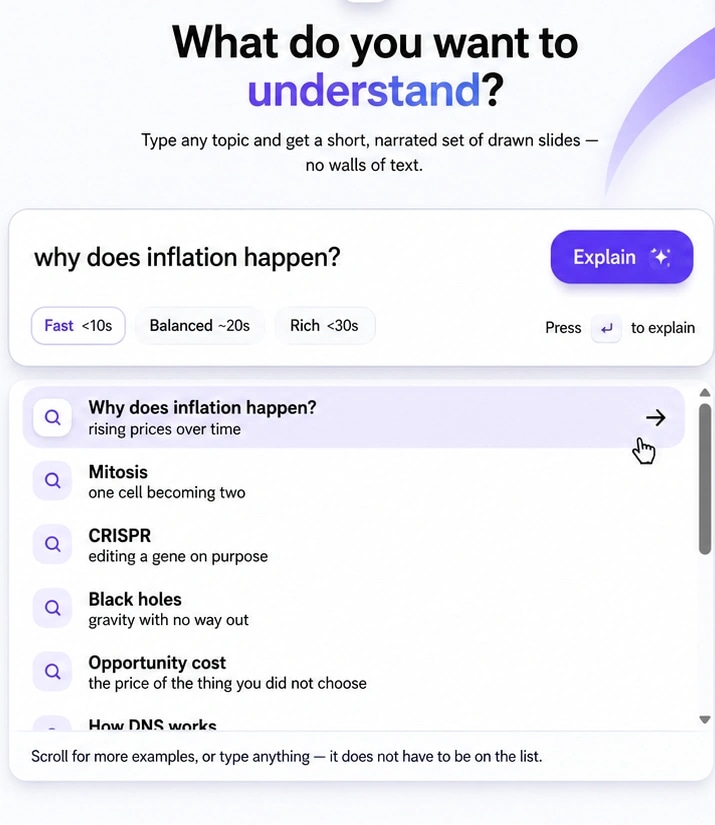
Topic search: Just type what you want to learn.
Intelligent suggestions appear as you type, so “inflation” asks whether you want the underlying causes, current rates, or real-world analogies. Pick your learning speed and explore.
Tubelight is the visual learning platform that explains whatever you highlight — an interactive UI diagram drawn in real time and a synchronized voice walking you through it, right next to what you are already reading.
Free during beta · 10 visual explanations included · No card needed
How it works
No new tab, no prompt to write, no wall of text to wade through. Watch the visual learning engine happen in real time.
Select any difficult text in any Windows app — browser, PDF, Word, chat, or code.
One universal shortcut anywhere on Windows. No new tabs, no prompt engineering required.
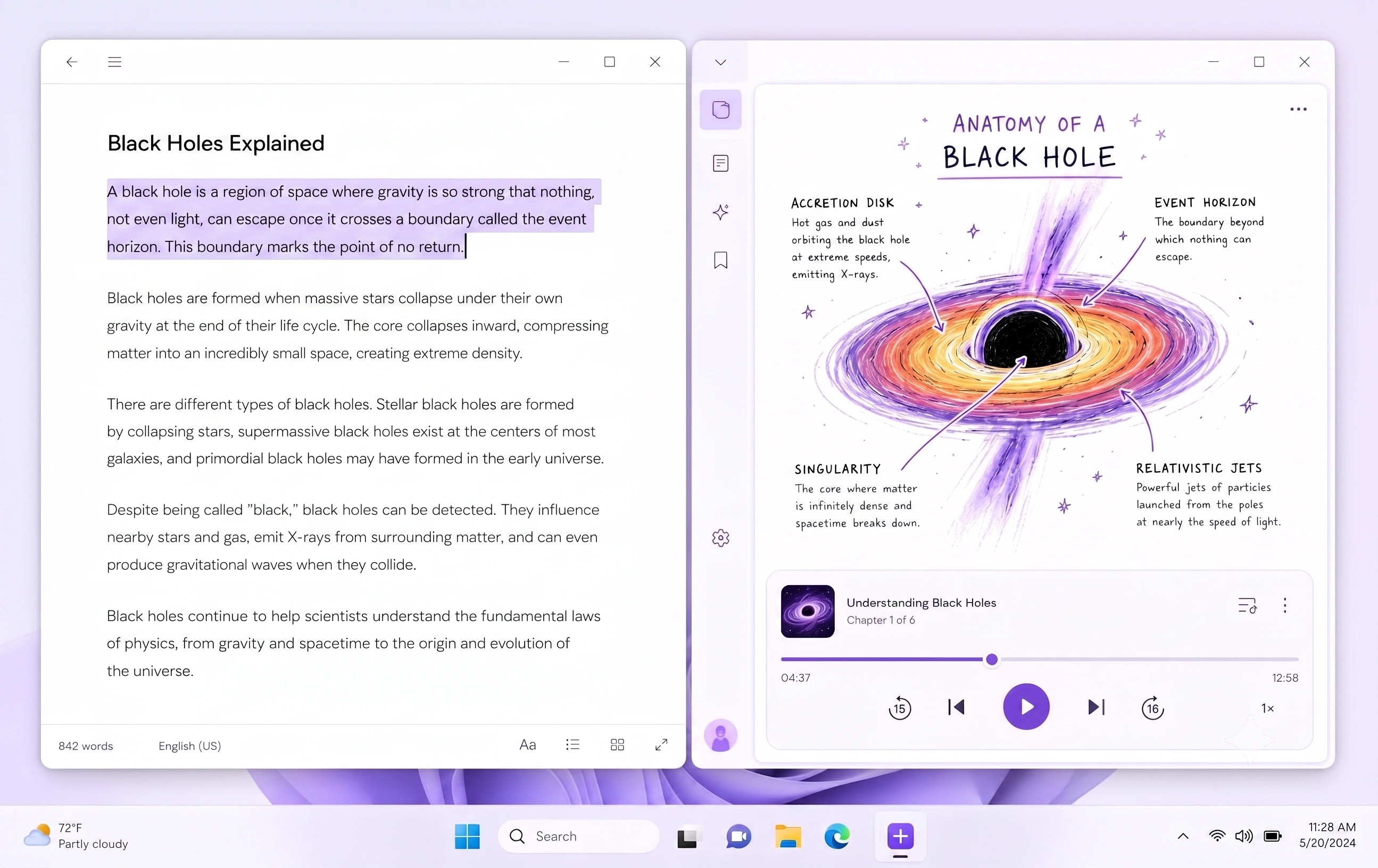
Your window snaps left. An interactive UI diagram draws itself while a voice walks you through it.
Chapter 4 — Making food from light
Plants do not eat. They build. Inside every leaf sits a factory that takes three cheap ingredients and turns them into fuel. The light-dependent reactions split water and store energy in ATP and NADPH. What comes out the other side is sugar — and the oxygen you are breathing right now.
The process runs in two stages, and the second one does not need light at all, which is why the old name for it stuck around long after it stopped being accurate. Textbooks still print the diagram as a single loop, which is where most of the confusion starts.
4.2 — The Calvin cycle takes the ATP and NADPH banked in stage one and fixes carbon into a three-carbon sugar. Six turns of the cycle produce one glucose molecule, at a cost the plant is entirely willing to pay.
“The light-dependent reactions split water…”
Built to be looked at
Most tools hand you another wall of text to wade through. Tubelight builds the visual model your brain was trying to form — systems, flows, and concept maps with voice explanation.
Highlighted Text
“The light reactions split water...”
Visual Synthesis
Vector Diagram + Audio Stream
Progressive SVG drawing with color-coded flow paths and anatomy callouts.
Synchronized audio narration matching the visual step currently drawing.
Recent Explanations
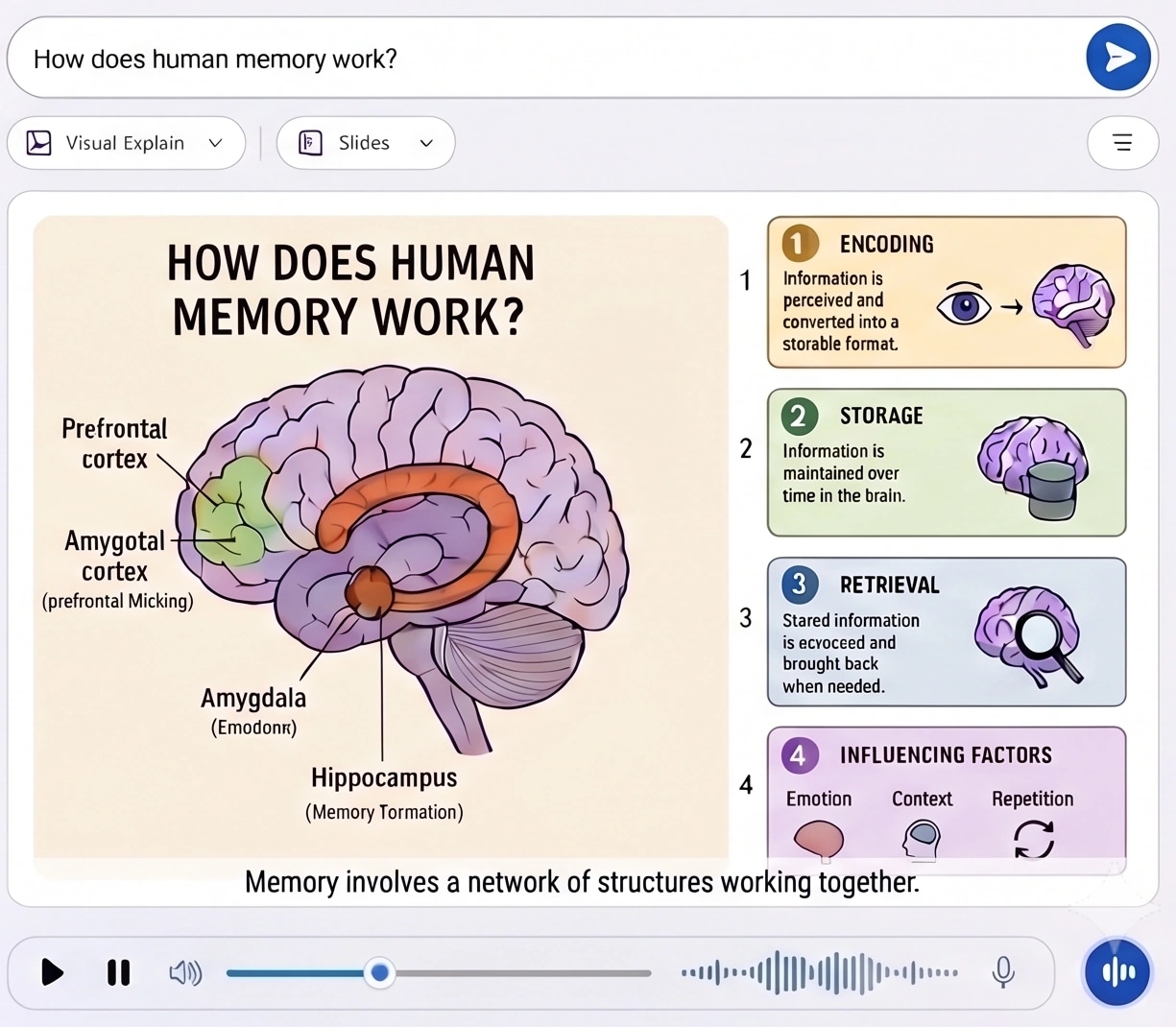
Human Memory Stages
4 slides · 0:45 audio
Photosynthesis Calvin Cycle
Vector diagram · 0:38 audio
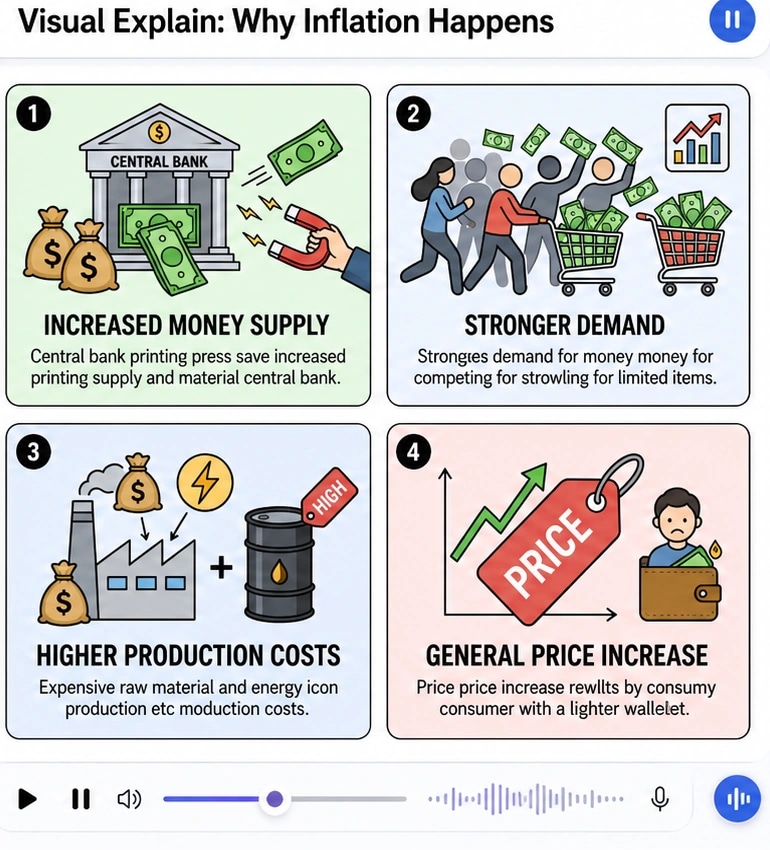
Why Inflation Happens
4 step slides · 0:52 audio
Flows, cycles, timelines, anatomies — whatever shape the idea actually has in your head.
Narration and visual elements stream in parallel, so you hear the voice while the diagram takes shape.
Explanations and history live locally on your device. The text you highlight is never stored.
Visual Learning Platform
Reading walls of text creates cognitive fatigue. Tubelight synthesizes dynamic visual UI models and synchronized audio that map directly to how your brain stores knowledge.
Intelligent suggestions appear as you type, so “inflation” asks whether you want the underlying causes, current rates, or real-world analogies. Pick your learning speed and explore.
Complex ideas are broken into numbered visual panels, each one dynamically drawn and captioned, narrated in logical order.
“Simpler.” “As a timeline.” “Give me a real-world analogy.” The diagram gets redrawn until the concept clicks — and you can keep asking follow-up questions in the interactive side drawer.
When 10 bidders each get handed a stack of free cash, nobody gets richer — the paintings just sell for 10x higher.
You
“Can you explain it as a real-world analogy?”
Tubelight
Explained as an auction room analogy with 3 core real-world takeaways.
Visual elements and voiceover stream simultaneously, leveraging Dual-Coding Theory so your mind absorbs the structure effortlessly.
Your active window moves left, the Tubelight visual panel slides in right. Drag the edge to resize — your reading context is never covered up.
Install once and the global Alt + E shortcut works everywhere. Start with 10 free visual explanations with no sign-in or credit card required.
The text you select is processed in ephemeral memory and never logged or stored on remote servers. All your diagrams and notes live on your machine.
Join students, researchers, and engineers who use Tubelight to understand complex topics fast on Windows. Includes 10 free visual diagram explanations at signup.
Frequently Asked Questions
How Tubelight uses UI and voice synthesis to help you learn faster on Windows.
Tubelight is a visual learning platform built for Windows. Instead of summarizing text with more text, Tubelight applies Dual-Coding Theory: pressing Alt + E instantly generates an interactive UI diagram and synchronized voice walkthrough right beside what you are reading. Visualizing concepts as flows, anatomies, cycles, and systems helps people understand and retain complex topics up to 3x faster.
Highlight any confusing passage in any application—Google Chrome, Edge, Adobe Acrobat, Word, Slack, Notion, or VS Code—and press Alt + E. Your active window docks left while Tubelight slides in on the right, rendering a progressive vector diagram with synchronized voice narration in under 3 seconds.
Tubelight is designed for deep learning across disciplines: science, engineering, biology, economics, programming, medicine, and mathematics. Whether you are deciphering a dense research paper, academic textbook, or codebase, Tubelight draws the underlying mechanisms, flows, and relationships.
Yes. You can dynamically steer any diagram with a single click—requesting it 'Simpler', 'As a timeline', or 'With a real-world analogy'. You can also ask follow-up questions in the side drawer to explore deeper concepts.
The app is finished enough to use every day, but we are letting people in gradually so we can watch how it holds up and fix things quickly. Invites go out in weekly batches. You'll receive a direct download link by email.
We offer 10 full visual explanations (with animated vector diagrams and voice narration) completely free at the start. Pro and lifetime upgrade plans are available for high-volume learners.
Yes. Your selected text is processed in memory to synthesize the diagram and narration, and it is never logged or stored on our servers. Your completed explanations, audio, and visual history remain private on your local machine.
Tubelight is built natively for Windows 10 and 11 to support global hotkeys and window-snapping. A macOS version is on our active roadmap, and joining the waitlist with Mac selected helps us gauge demand.
You'll receive an instant email confirming you are on the list, followed by an invitation with the Windows installer and onboarding guide when your batch is ready. No marketing spam.